
Create API Key
You need to create an API key before using Modelink.
Go directly to the creation page: https://api.aigoo.xyz/keys
Steps
- Sign in and open the API keys page.
- Click the
Create Keybutton in the upper-right corner. - Enter a recognizable name, such as
cherry-studioorcc-switch. - Pick a group. The dropdown shows each group's multiplier and current capacity.
- Create the key, copy the generated value, and store it safely.
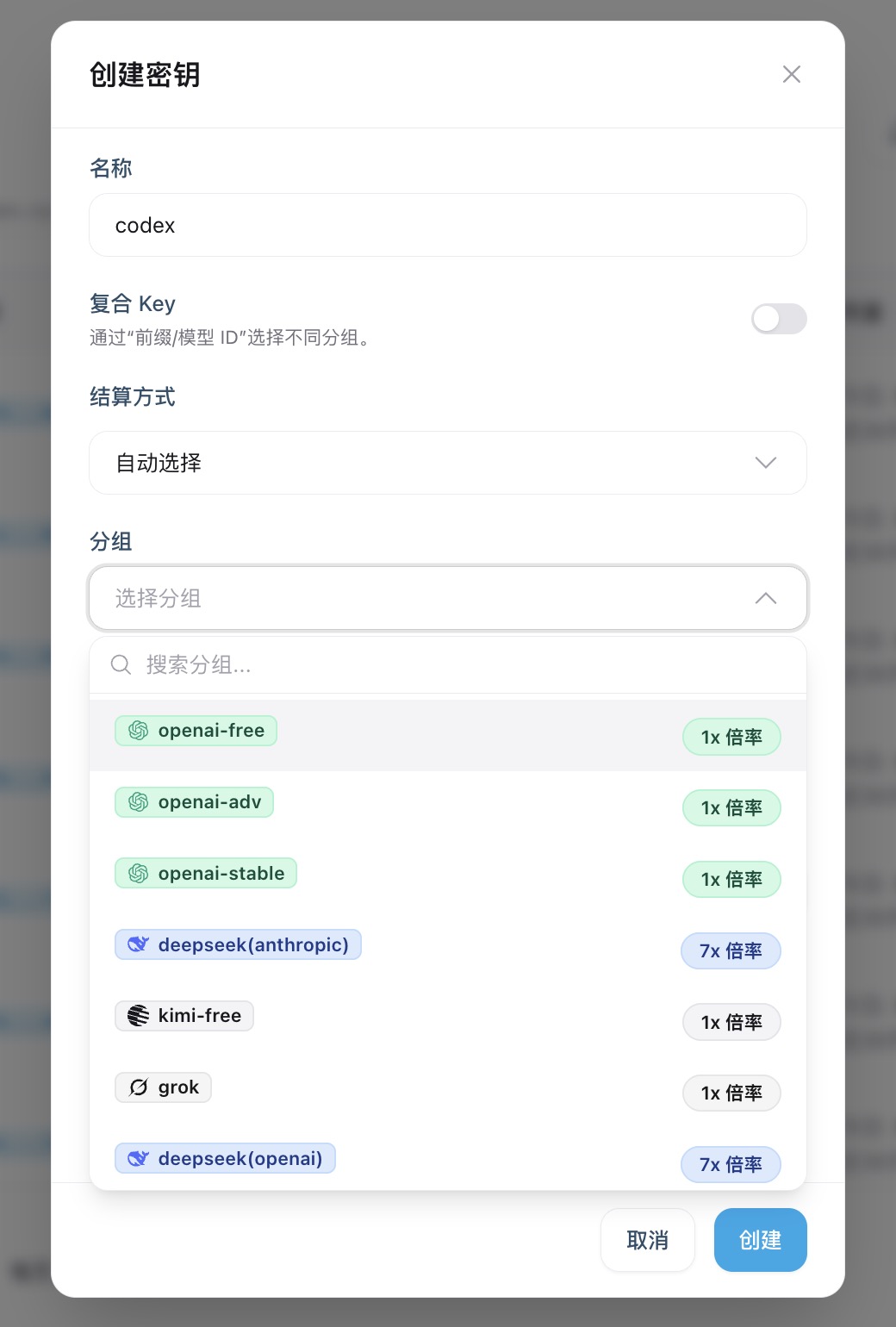
Note: The full key is shown only once when it is created. Copy and save it immediately.
Multipliers differ between groups; see Billing for the price differences.
What Next?
After you get an API key, you can start integrating Modelink:
- API Endpoints - the API address to enter in your client
- Quickstart - choose an integration path based on your workflow
- CC-Switch Guide - configuration manager for Codex