
ZCode
ZCode is a desktop AI coding agent that supports custom providers compatible with the OpenAI protocol. This guide connects ZCode to Modelink using deepseek-v4-flash as the example model.
Prerequisites
Before you begin, prepare:
- An installed copy of ZCode.
- A valid Modelink API key.
- The
deepseek(openai)group selected for that key.
Protect your API key
Never share a complete API key or include it in a public screenshot. If a key is exposed, delete it in the Modelink console and create a new one immediately.
1. Create a Modelink API Key
Open the Modelink API Keys page, create a key, and select the deepseek(openai) group.
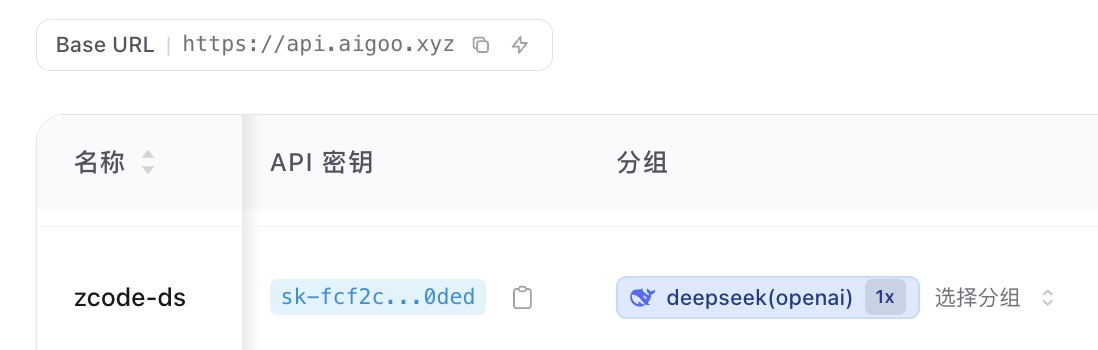
Copy the new API key. You will enter it in ZCode in the next step.
2. Add a Custom Provider
- Open ZCode and click the settings button in the lower-left corner.
- Open Model Settings.
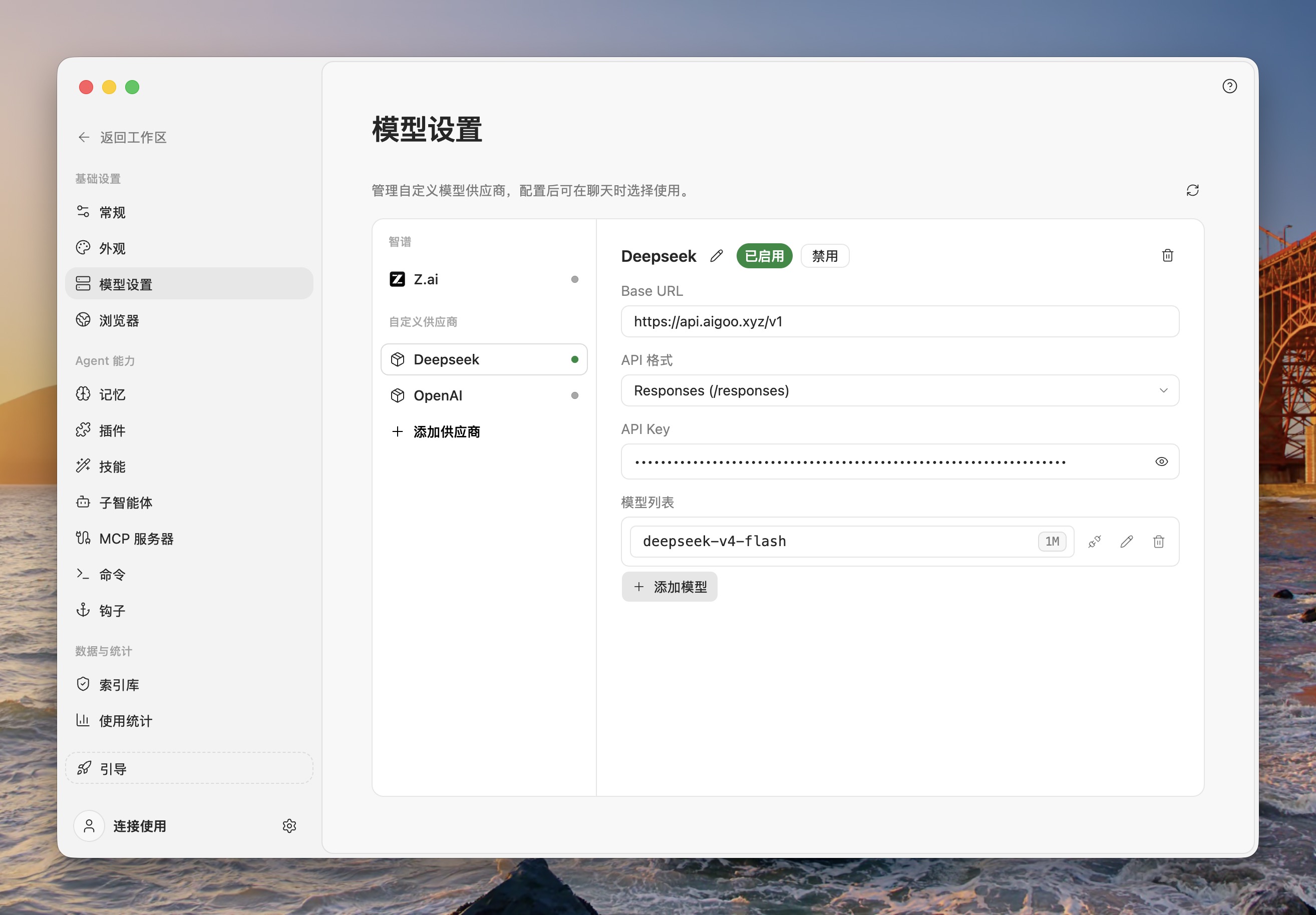
- Click Add Provider at the bottom of the provider list.
- Enter the following values:
| Field | Value |
|---|---|
| Name | Modelink DeepSeek (or another recognizable name) |
| Base URL | https://api.aigoo.xyz/v1 |
| API format | Responses (/responses) |
| API Key | The Modelink API key you just created |
Click Add Model in the model list and enter this model ID:
deepseek-v4-flashMake sure the provider is Enabled.
3. Configure Model Limits
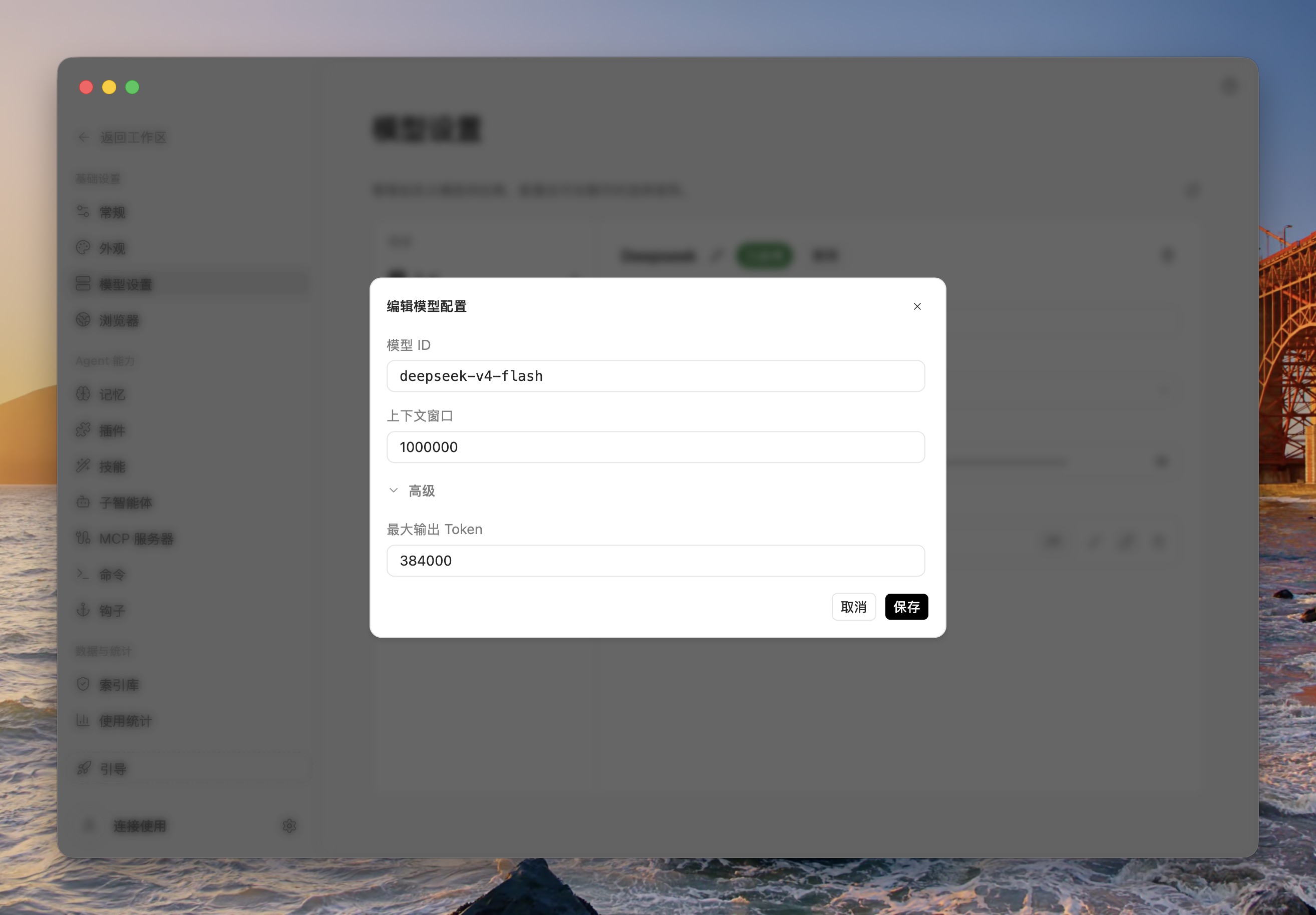
Click the edit button next to deepseek-v4-flash and enter the values shown in this example:
| Field | Example value |
|---|---|
| Model ID | deepseek-v4-flash |
| Context window | 1000000 |
| Maximum output tokens | 384000 |
Click Save to finish the model configuration.
About these limits
These values reproduce the configuration shown in the screenshots. If Modelink changes the model capabilities later, follow the latest model information in the console.
4. Verify the Connection
Return to the ZCode workspace, start a new conversation, and select deepseek-v4-flash from the model selector. Send a simple instruction. A normal response confirms that the connection works.
If the model does not appear, check that:
- The custom provider is enabled.
- The Base URL is exactly
https://api.aigoo.xyz/v1. - The API format is
Responses (/responses). - The model ID is exactly
deepseek-v4-flash. - The API key is valid and uses the
deepseek(openai)group.
For general custom-provider behavior, see the official ZCode configuration guide.